Browser-based editing
Preview every page and place text, images, or signatures directly on the document in your browser.
Double-click detected text, type the correction, then review the font, color, spacing, and position before export.
Focused PDF corrections
Double-click detected text, type the correction, then review the font, color, spacing, and position before export.
You preview and edit in the browser. On export, the PDF is sent over HTTPS to the server, processed in memory, and returned without file retention. Processing is not 100% on-device.
Preview every page and place text, images, or signatures directly on the document in your browser.
Edits are converted from screen pixels to PDF points before the export is processed.
The PDF is sent over HTTPS for export, processed in memory, and not retained on the server.
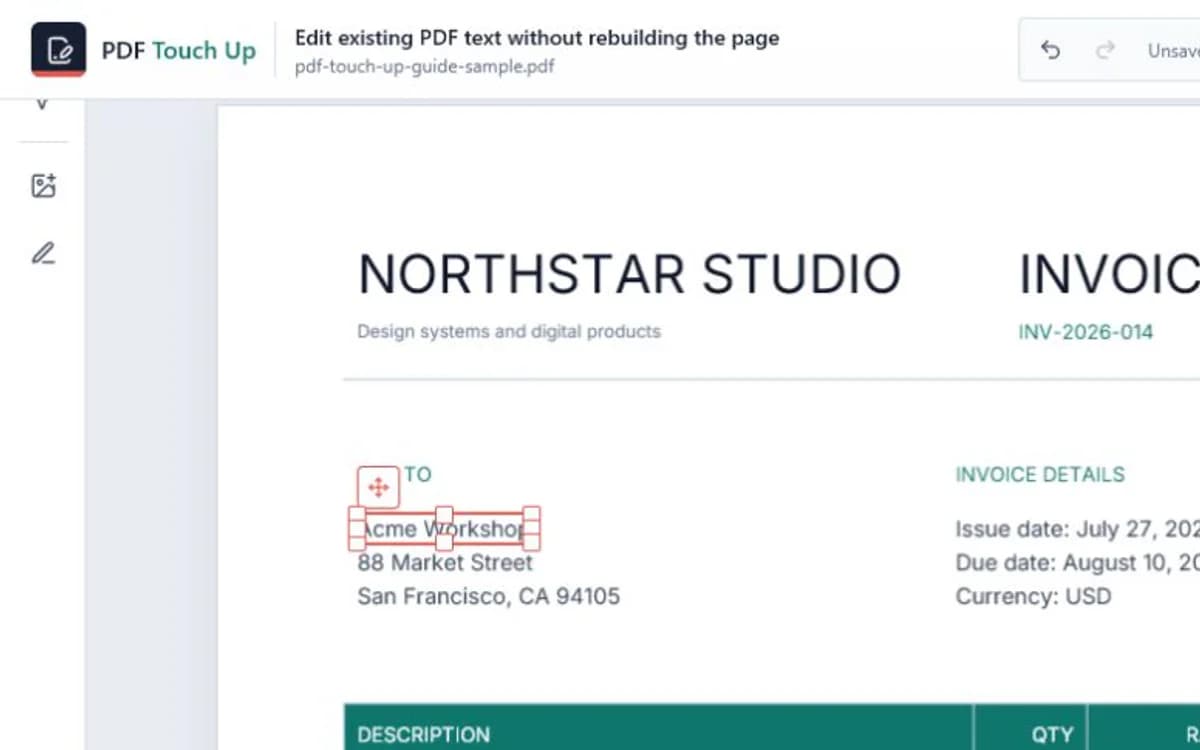
Double-clicking a detected line creates an editable replacement at the same PDF coordinates. Font family, size, weight, style, color, opacity, and background are inferred when the source PDF exposes enough information.
PDF fonts may be embedded as custom subsets, so an exact installed match is not always available. You can choose a bundled alternative or upload the original font; image-only scans need a searchable OCR text layer before individual text can be selected reliably.
Open the original PDF and zoom in until the line is easy to inspect. Double-click the detected text rather than drawing a new box from scratch. PDF Touch Up creates an editable replacement at the same page coordinates and keeps the source line visible until you actually change it.
After typing, compare the replacement with the lines around it. Check the baseline, line width, weight, italic style, color, and background. If the replacement is longer, enlarge its box or shorten the wording instead of allowing it to cover nearby content.
A PDF may store letters as individually positioned glyphs, split one line across multiple font subsets, or contain only a scanned image. In those cases the visible text is not equivalent to an editable paragraph in a word processor.
The editor reuses an embedded TrueType or OpenType source font when it can transfer that font safely. If the source font is incomplete, unsupported, or missing the required characters, it falls back to a compatible bundled or user-uploaded font and keeps the original coordinates as closely as possible.
Practical guides
The editor reuses supported embedded source fonts when possible and offers compatible bundled or uploaded fallbacks when the original cannot be embedded safely.
PDF text is positioned with fixed coordinates, so this tool is best for focused line-level corrections rather than automatic paragraph reflow.
The original may use a subset font, custom spacing, or horizontal scaling. Review the overflow warning and resize the box or choose a closer font before export.
Direct visual replacement is not a secure redaction workflow. Use dedicated redaction and sanitization software for confidential information.