Practical PDF guide
Why fonts change after editing a PDF
The font name shown in a PDF is only part of the story. Embedded subsets, character maps, spacing, and renderer behavior all affect whether replacement text can match.
A PDF may contain only part of a font
To reduce file size, PDF creators often embed only the glyphs used in the document. A file containing the word “Invoice” may include those letters but not the characters needed for a new customer name. The embedded face can also have an internal subset name that does not match the familiar family name installed on a computer.
When the required glyph is missing, an editor must embed a fuller source font or choose a fallback. Reusing an incomplete subset without checking it can create blank boxes, wrong characters, or a PDF that renders differently across viewers.
Matching the name does not guarantee matching metrics
Two fonts can look similar but use different advance widths, ascenders, descenders, and italic overhang. Even two versions of the same family can have different metrics. A replacement can therefore start at the correct coordinate but end several pixels too early or too late.
PDF Touch Up measures browser text, carries the detected target width to export, and applies bounded horizontal fitting for single-line corrections. It still asks you to resolve overflow instead of silently shrinking every edit until it becomes unreadable.
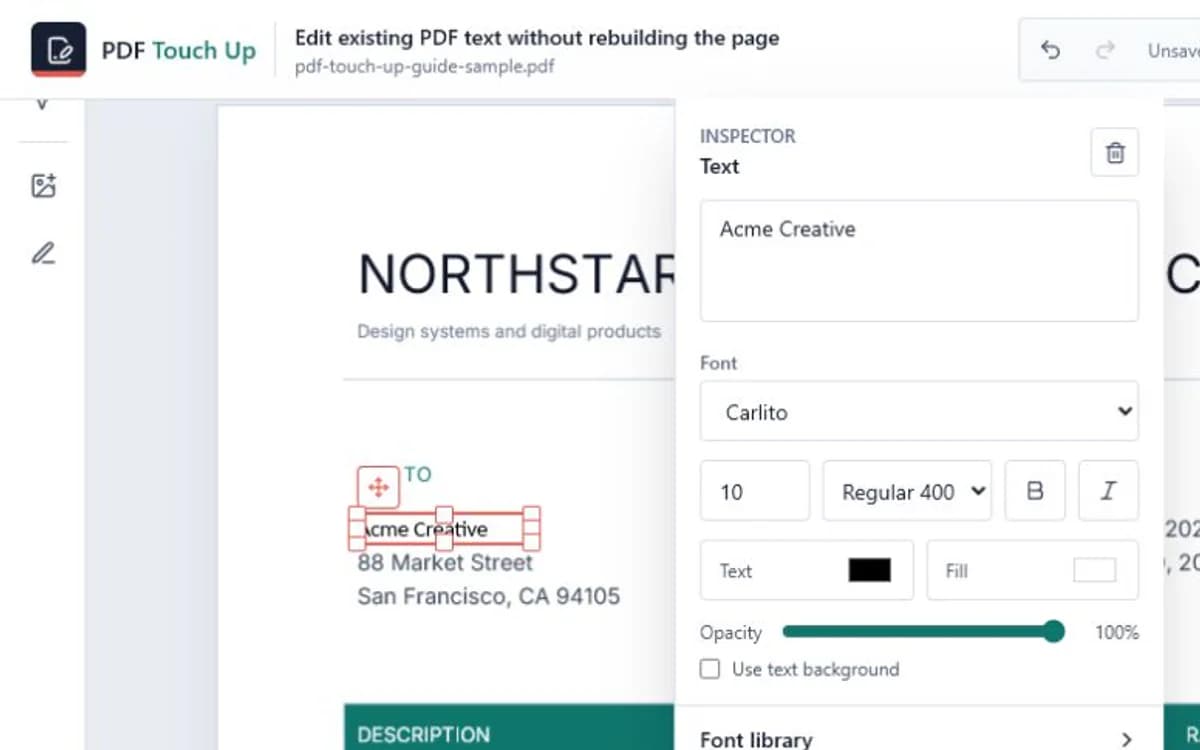
When the original embedded font can be reused
Supported TrueType and OpenType font programs referenced by an active edit can be attached to the export request within strict size and count limits. This keeps the downloaded PDF closer to the source while avoiding unnecessary transfer of every font in the document.
Unsupported font formats, damaged programs, very large fonts, or fonts without the required characters fall back to compatible bundled families such as Carlito, Tinos, Arimo, or Cousine. A user-uploaded font can be used when licensing and file access permit it.
A reliable font review checklist
Inspect the exported copy in at least one standard PDF reader. Compare letter width, baseline, boldness, italic angle, punctuation, and Vietnamese or accented characters. Search and copy the edited text to confirm that characters remain usable.
- Check the longest edited line first.
- Inspect italic endings and descenders for residual marks.
- Verify accented characters and currency symbols.
- Keep a fallback font consistent across all related edits.
Frequently asked questions
Why does the editor show an original font name but export a fallback?
The name may be detectable even when the embedded program is unsupported, incomplete, too large, or missing the new characters.
Can I upload the exact font?
Yes, supported TTF and OTF files can be stored locally in the browser and included with an export when selected.
Why is italic text harder to replace cleanly?
Italic glyphs often extend beyond their advance width and baseline box, so the erase region needs additional horizontal and vertical safety space.